Getting Started
Loading the MRIQC Module
The SCC uses a module system to load and access software packages. Refer to our module page for more extensive documentation.
To see all versions of MRIQC available on the SCC, you can search for the package with the module command:
[scc4]$ module avail mriqc

--------------------------- /share/module.8/imaging ----------------------------
   mriqc/22.0.6 (D)    mriqc/24.0.0

  Where:
   D:  Default Module
Note that mriqc/22.0.6 is the default — the version you get if you do
not name one. We recommend pinning an explicit version in every script so
your analyses stay reproducible.
To load a specific version of MRIQC (24.0.0):
[scc4]$ module load mriqc/24.0.0
Confirm the load worked:
[scc4]$ mriqc --version
MRIQC v24.1.0.dev0+g3fe90466.d20240417
Your Input Data
Your data must be organized according to the BIDS standard. We recommend using the tools dcm2bids and yaxil to get your data into BIDS format. Please see these help pages for more information.
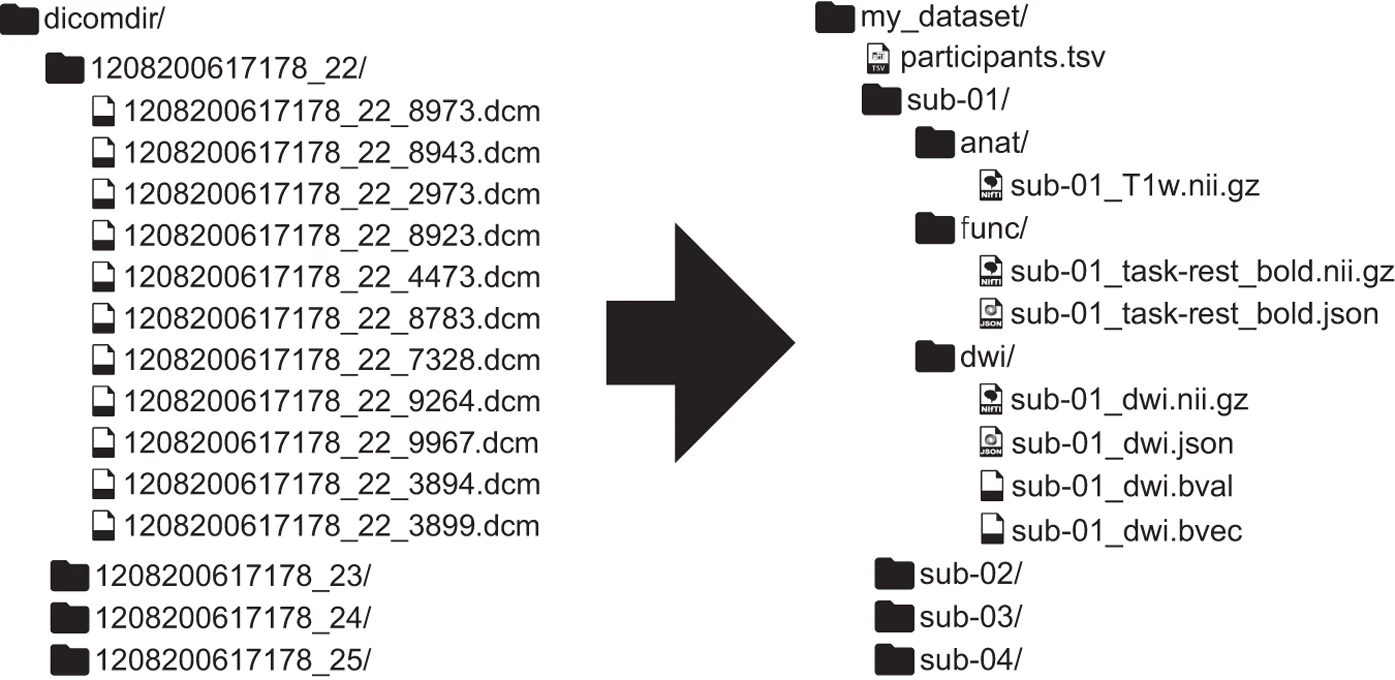
Raw DICOMs as they come off the scanner (left) reorganized into a BIDS dataset (right).